Integration · Codex
Run Codex in Termany
Codex is built in and enabled by default. Run it in a pane beside Claude on the same repository, see when it finishes, and read Codex's transcripts as session history and cost.
- Command
codexEnabled by default- Official site
- github.com/openai/codex
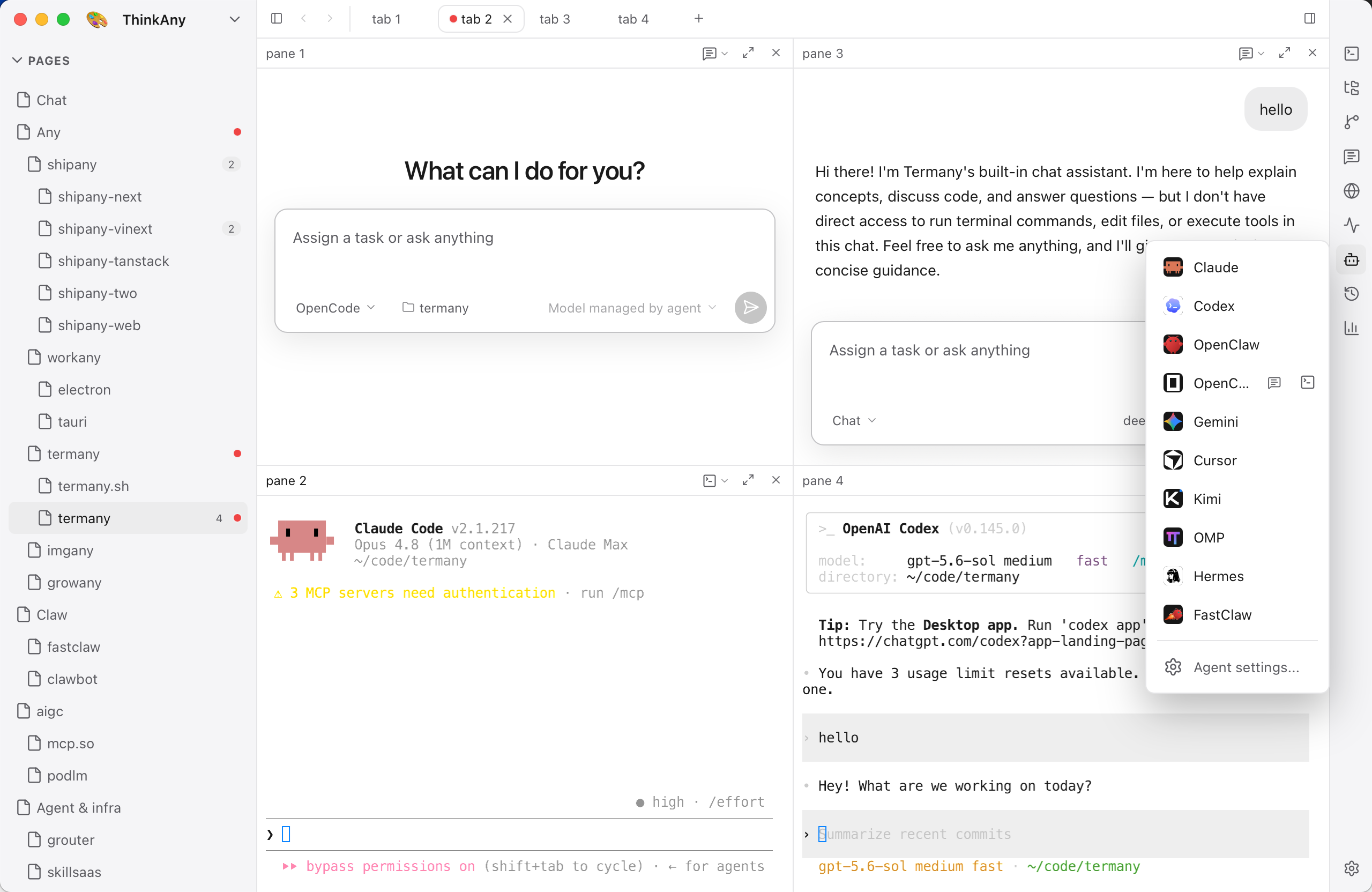
Codex beside your other agents
Launch Codex from the right-hand rail into any pane. Put it next to a Claude session working on another worktree, a shell, or the Git diff of what it just changed.
- Detect finds the codex binary you already have
- Settings → Agents links to the official installer if it is missing
- Point the integration at another binary or add your own agent
Status without watching
Panes are tagged working, done, or needs attention from the foreground job and on-screen changes, so the tag works with the Codex TUI. Finished and waiting sessions collect in the ACTIVE section.
Session history and usage
Codex is one of the two agents (with Claude) whose transcripts Termany reads today. ⇧⌘H lists past Codex conversations grouped by branch across worktrees; ⇧⌘U shows estimated cost and input, output, and cache tokens by model and project.
Codex Bots
Make Codex a Bot with its own name, role, model, and folder, then add it to group chats. Codex Bots use your locally installed and authenticated official CLI; Termany ships the ACP bridge and Node runtime it needs.
Install
curl -fsSL https://chatgpt.com/codex/install.sh | shpowershell -ExecutionPolicy ByPass -c "irm https://chatgpt.com/codex/install.ps1 | iex"Not installed yet? Settings → Agents links to the official installer.
Frequently asked questions
Does Termany need my OpenAI key for Codex?
No. Termany runs your own installed and signed-in Codex CLI.
Can I compare Codex and Claude cost?
Yes. The usage view reads both transcripts and breaks estimated cost down by model and by project.