Feature · Bots
Bots that work together.
A Bot is an agent with an identity: its own name, avatar, role, model, working folder, and skills. Talk to one directly, or put several in a group and let a lead coordinate the work.
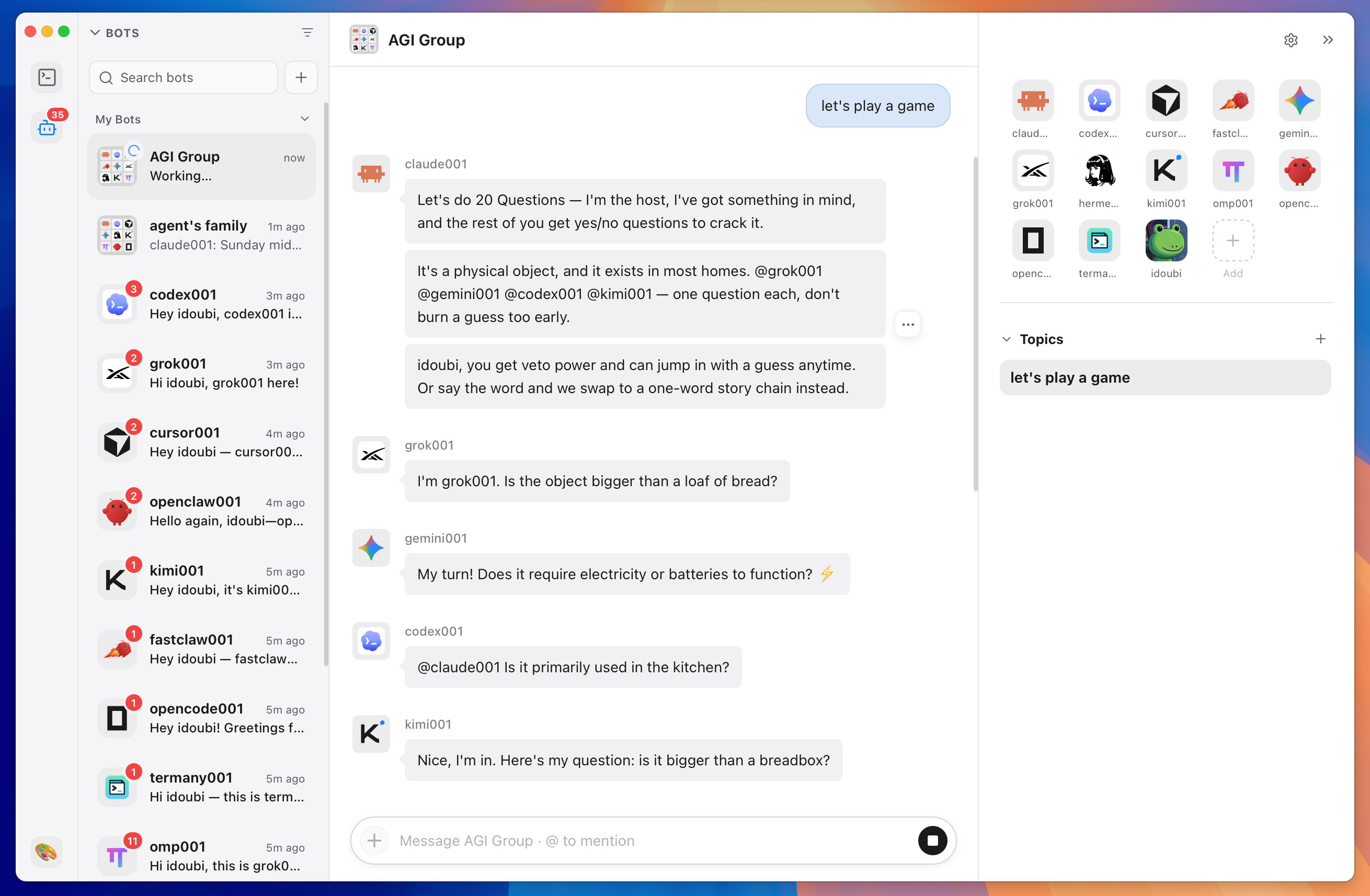
Give each agent an identity
Turn any agent into a reusable Bot with a description and a set of Skills picked from one searchable list. Every Bot keeps a clear identity in the conversation, so you always know who said what.
- Name, avatar, role, model, and working folder per Bot
- Skills from ~/.agents/skills, ~/.claude/skills, the Codex skills directory, or GitHub
- Configuration changes apply on the next request without clearing history
Group chats with a lead
Put several Bots in one group. A lead member coordinates the conversation, delegates work, and consolidates the result. @ mentions route a message to a specific member, and topics keep separate tasks from sharing one long transcript.
Runs on the CLIs you already use
Claude and Codex Bots use your locally installed and authenticated official CLI. Termany ships the small ACP bridge and the Node runtime it needs, so Bot conversations do not require a separate system node or npx install.
Light on resources
Idle ACP Bot processes are released after five minutes when the agent supports restoring sessions. The next message restarts the agent and reloads the same conversation. Active replies and permission requests keep running.
Frequently asked questions
Do Bots need their own API keys?
No. Claude and Codex Bots run through the official CLI you have already installed and signed in to.
Are full Skill files injected into every prompt?
No. Prompts carry each bound Skill’s name, description, and absolute SKILL.md path. The agent reads the file with its own tools when it needs it.
Do terminal panes inherit a Bot’s configuration?
No. Bot configuration applies to Bot conversations — private replies, group replies, and Bot-to-Bot deliveries — not to ordinary terminal panes.