Integration · OpenClaw
Run OpenClaw in Termany
OpenClaw ships as a built-in agent in Termany. Launch it from the right-hand rail into any pane, keep it running in the background, and work on the same repository with Claude, Codex, and the rest in one window.
- Command
openclawEnabled by default- Official site
- openclaw.ai
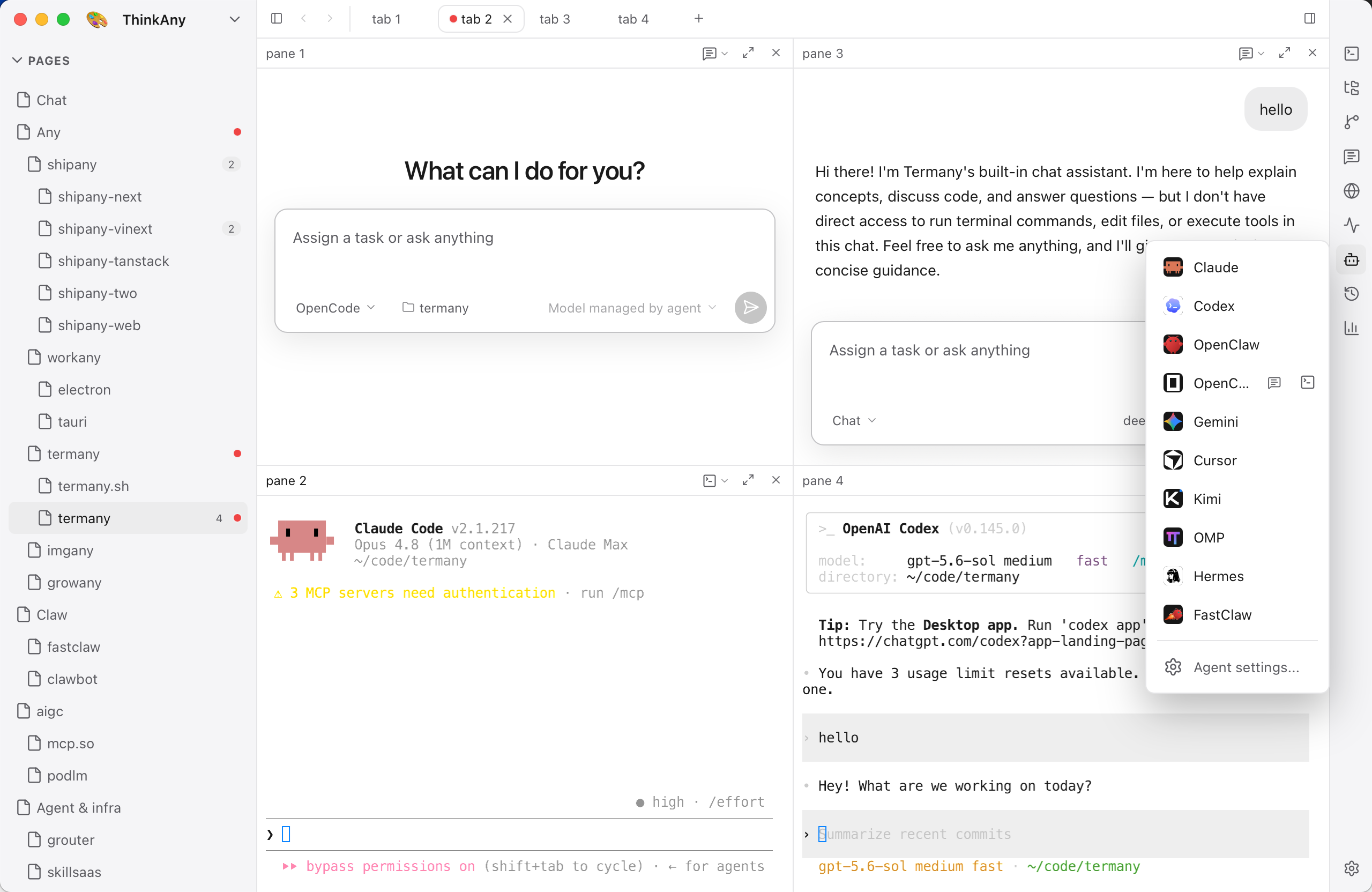
Launch it from the rail
Termany runs the openclaw binary in a real terminal pane. OpenClaw is enabled by default. Detect probes your machine and lists the agents it finds; if openclaw is missing, Settings → Agents shows its official installer.
- Open it in any pane, next to a shell or another agent
- Point the integration at a different binary if yours lives elsewhere
- Sessions keep running, with scrollback, while the tab is in the background
Know when it needs you
Termany tags each pane working, done, or needs attention by reading the pane's foreground job and the changes on screen, not the shell prompt — so the tag also works for agents that draw their own interface. Tagged panes collect in the ACTIVE section above the page tree.
What is not covered yet
Session history (⇧⌘H) and the usage dashboard (⇧⌘U) read Claude and Codex transcripts today. OpenClaw sessions show as unsupported in those views; everything else — panes, status tags, diffs, worktrees, SSH — works the same.
Install
curl -fsSL https://openclaw.ai/install.sh | bashiwr -useb https://openclaw.ai/install.ps1 | iexNot installed yet? Settings → Agents links to the official installer.
Frequently asked questions
Does Termany install OpenClaw for me?
No. Termany detects openclaw if it is already installed. If it is missing, Settings → Agents links you to the official installer.
Can I track OpenClaw token usage in Termany?
Not yet. The usage dashboard reads Claude and Codex transcripts only; other agents show as unsupported.