Feature · Review
Review the diff beside the agent.
An agent runs in one pane, and its diff opens in the pane next to it. Review what changed while the context is still on screen.
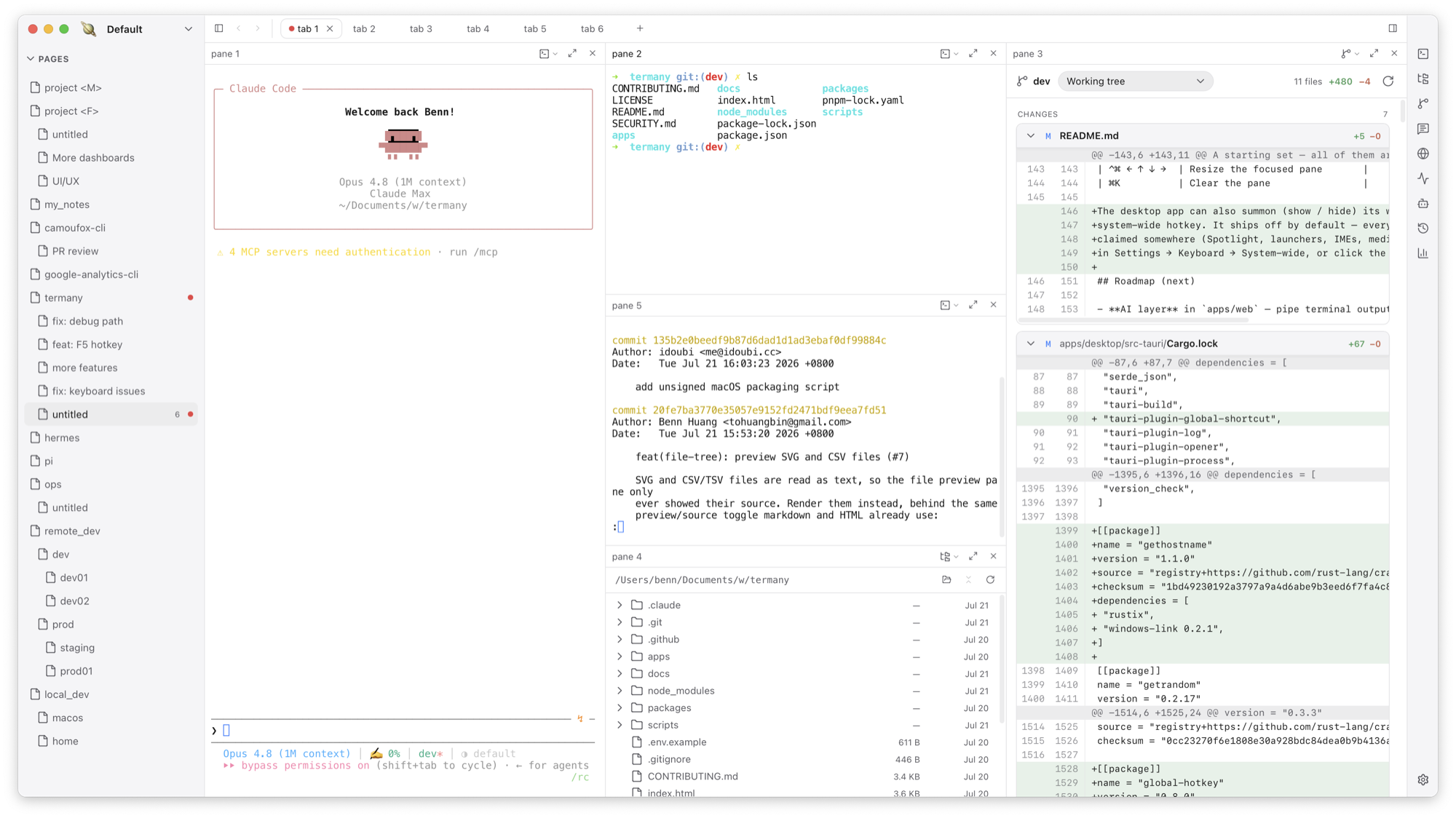
A Git diff view in any pane
Open the diff with ⌥⌘G or cycle to it with ⌘E. It shows staged, unstaged, and untracked changes, with file-level additions and deletions at a glance.
- Compare the working tree against another base
- Switch to another worktree of the same repository from the same panel
Conversation and browser views, too
The same pane can become a Conversation — a chat over ACP with its own model picker — or a Browser. When a pane starts serving a port, Termany offers to open it, so you can check the running app right after reading the diff.
Keep the review loop short
Agent, diff, files, and preview all live in one window. You never copy a path into another app to see what happened.
Frequently asked questions
Can I stage or commit from the diff view?
The diff view is for reviewing changes. Run git or ask your agent in the neighbouring pane to stage and commit.
Does it work with worktrees?
Yes. You can switch between worktrees of the same repository from the diff panel.