Use case · Worktrees
Parallel git worktrees without the port fights
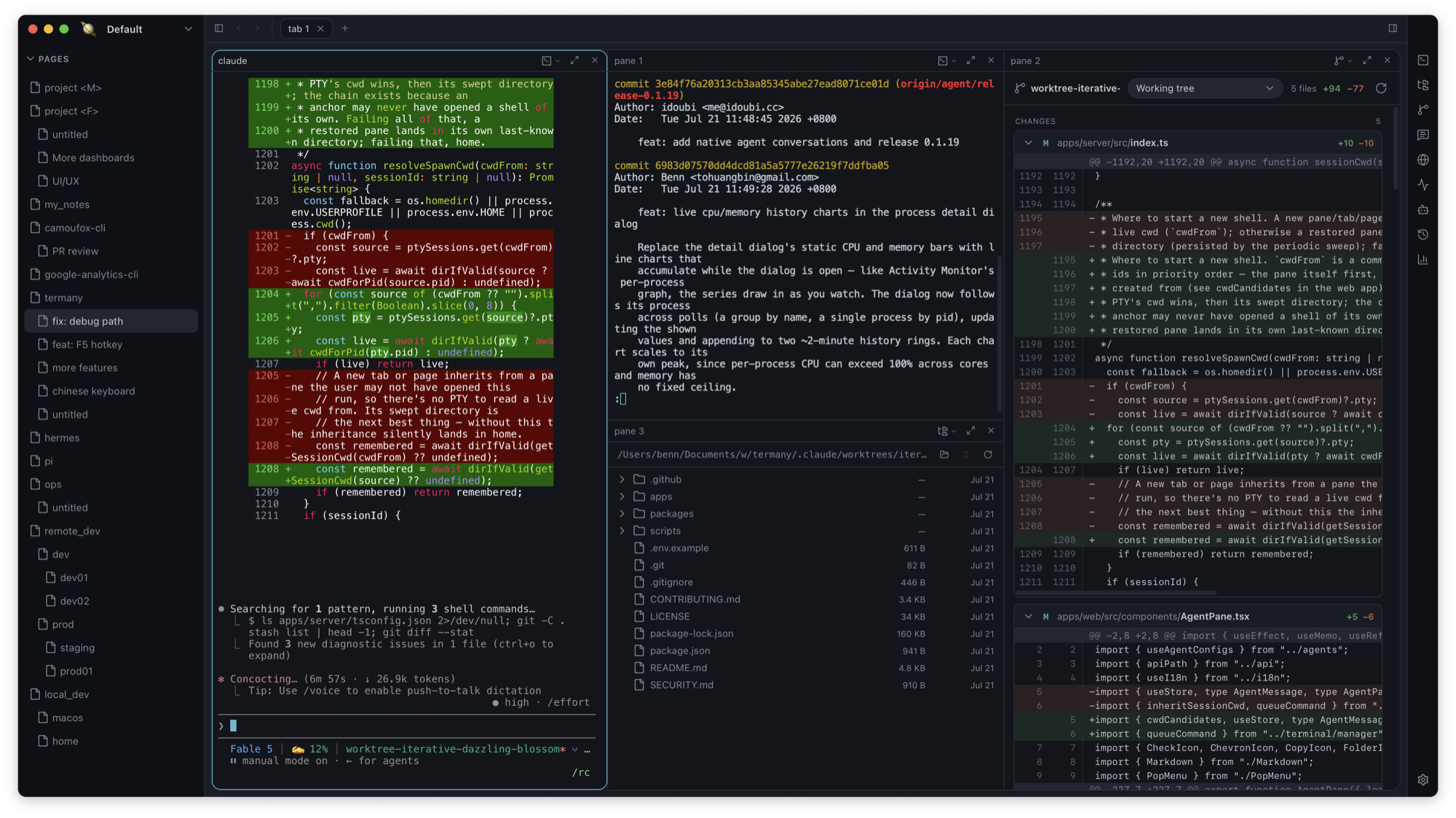
Worktrees let several agents change one project at once without stepping on each other. Termany keeps the branch, the diff, the agent’s history, and the ports for each worktree in view.
The problem: many checkouts, one set of ports
With three worktrees each running a dev server, something is already listening on 3000. Finding which checkout holds the port, and which agent session belonged to which branch, is busywork.
How Termany helps
The Git diff view shows staged, unstaged, and untracked changes, compares against another base, and switches to another worktree of the same repository from the same panel. Session history (⇧⌘H) groups past agent conversations by branch across every worktree.
- Type a port number in the activity monitor to find the process holding it
- Terminate that process from the same row
- Sessions from deleted worktrees resume from the main checkout
A typical workflow
One worktree per task, one pane per worktree.
- Start an agent in each worktree’s pane
- Open the diff for that worktree beside it
- When a dev server can’t bind, search the port in ⇧⌘M and stop the stale one
- Pick a past session by branch and resume it in a new pane, already cd’d to its project
What it doesn’t do
Termany does not create or merge worktrees for you; use git or your agent for that. Session history covers Claude and Codex conversations today.
Frequently asked questions
Does Termany create git worktrees?
No. It works with the worktrees you or your agents create, and switches between them in the diff panel.
How do I find which worktree is using a port?
Open the activity monitor (⇧⌘M) and type the port number into its search box.
What happens to history when I delete a worktree?
Its sessions appear under Deleted worktrees and resume from the main checkout.