Feature · SSH & monitor
Per-pane SSH, port forwards, and a process monitor.
Move long agent tasks to a dev box so they survive a sleeping laptop — without giving up the local window you know.
Every pane picks its own host
A local shell and two remote hosts can sit in one tab. Add a connection with a display name, an optional port, and automatic, password, or identity-file authentication. Test connection checks it before you need it.
- A dropped session reconnects when you press Enter
- Mix local and remote panes freely in one layout
One-click port forwarding
When a remote pane starts serving a port, one click opens an SSH forward on loopback, so the remote URL opens locally — in your browser or in a Termany browser pane.
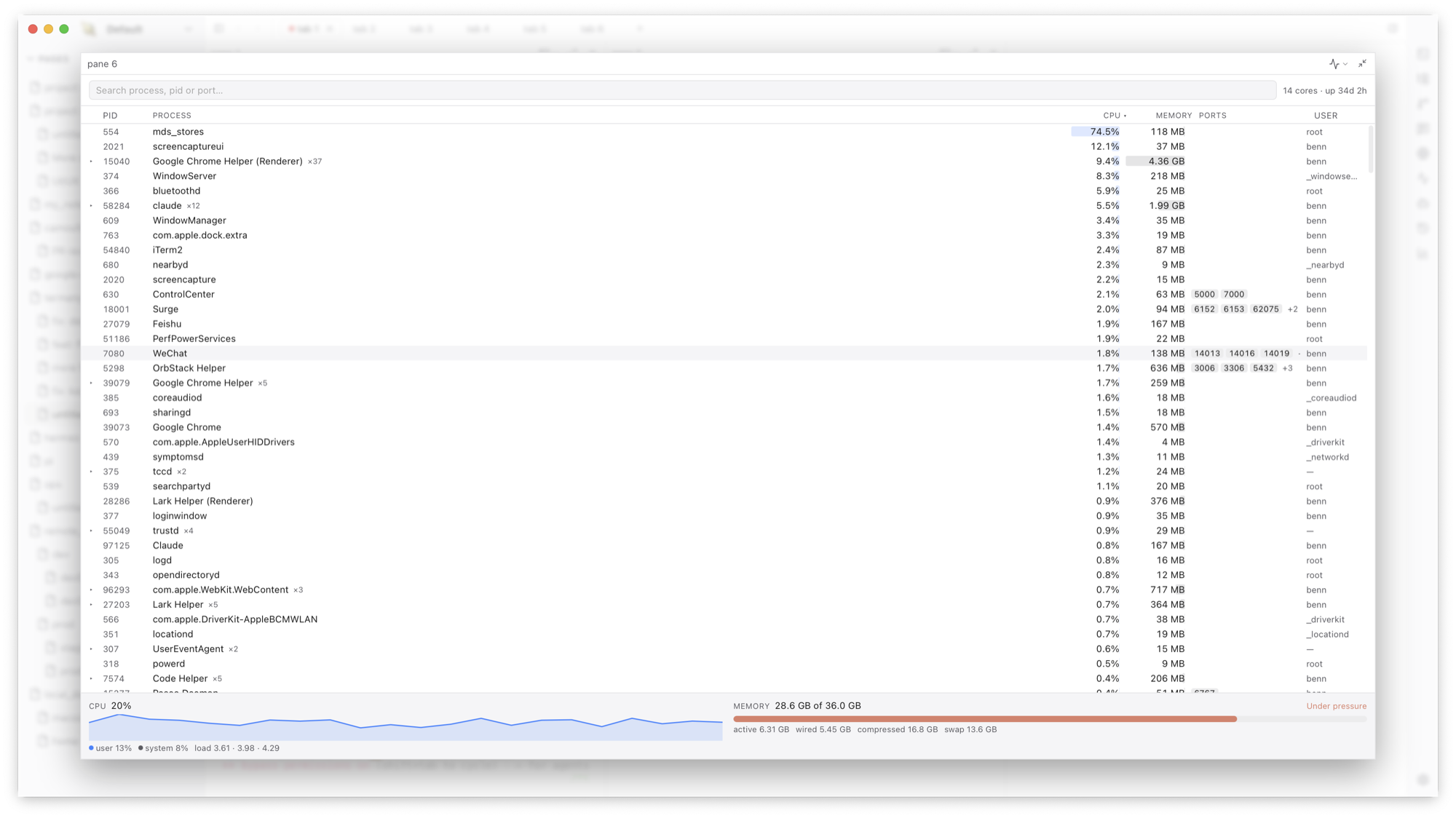
A built-in activity monitor
⇧⌘M shows CPU, memory, swap, and memory pressure, plus the process list grouped by program. Type a port number into the search box to find the process that holds it, then terminate it from the same row.
Frequently asked questions
Do I need to install anything on the server?
No agent or daemon is required on the remote host. Panes connect over SSH like any terminal.
Will my remote jobs survive a disconnect?
Termany reconnects the pane when you press Enter. For processes that must outlive the SSH connection itself, run them under tmux or a similar tool inside the pane.