Integration · CodexThemes
CodexThemes packs in Termany
Any CodexThemes pack you install shows up in Termany automatically. Pick it from Settings → Appearance and the whole window takes on the theme.
- Official site
- codexthemes.ai
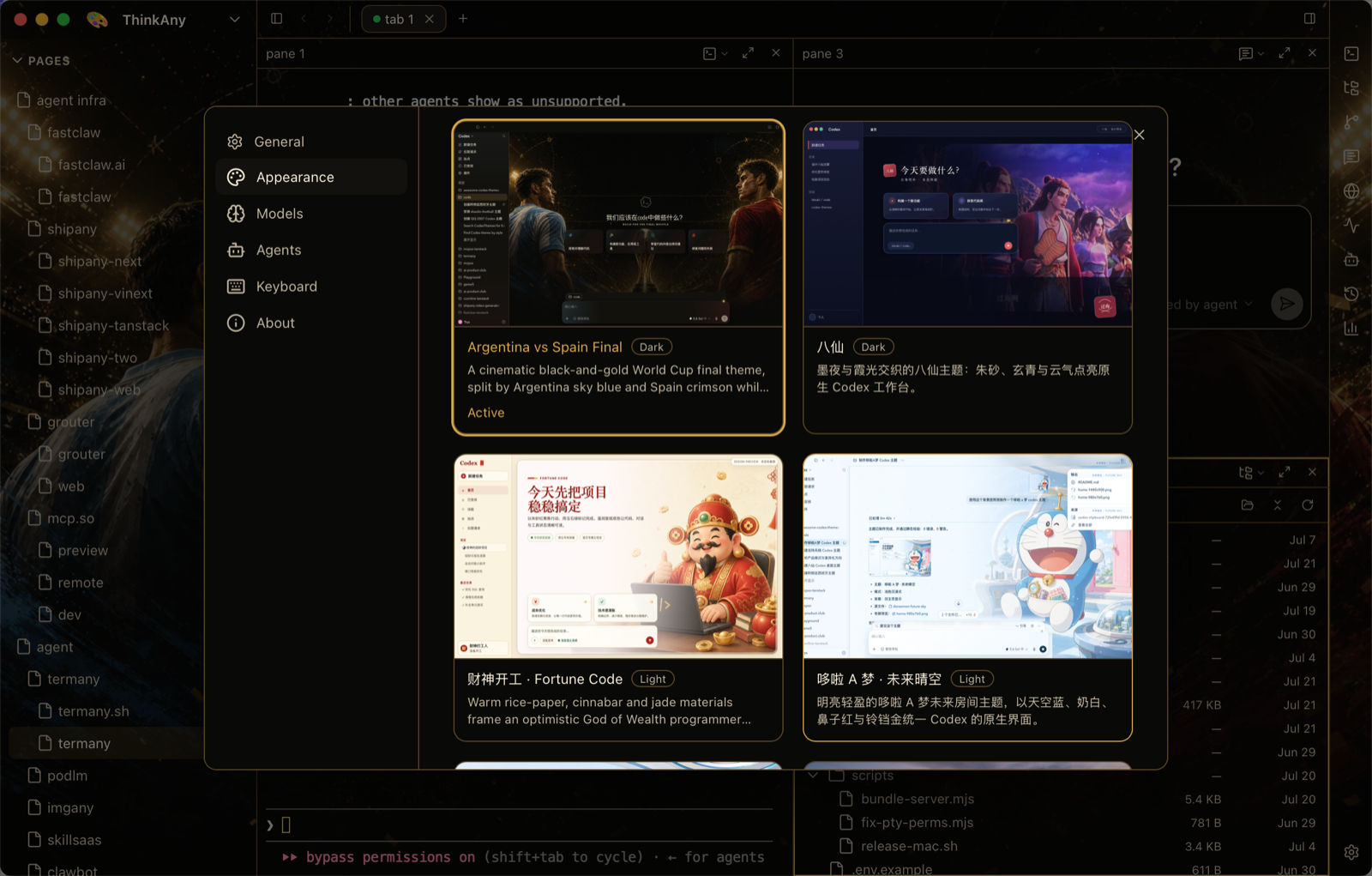
Packs appear where the built-ins live
Settings → Appearance lists installed CodexThemes packs with their artwork, side by side with the eighteen themes that ship with Termany. Applying one is a single click.
A theme is more than a palette
Termany themes restyle the whole window — the sidebar, the tab strip, the gap and corner radius of each pane, and the shadow under it — not only the terminal colors.
- Step through themes with ⌥⌘. and ⌥⌘,
- Open the theme picker with ⌥⌘T
Frequently asked questions
Where do I get CodexThemes packs?
From codexthemes.ai. Once a pack is installed on your machine, Termany picks it up in Settings → Appearance.
Do I lose the built-in themes?
No. Installed packs are listed next to the eighteen built-in themes.